
Introducing react-native-skia-layout, powered by React Native's layout engine, Yoga.React Native Sk 2026-7-7 15:0:5 Author: hackernoon.com(查看原文) 阅读量:1 收藏
Introducing react-native-skia-layout, powered by React Native's layout engine, Yoga.
React Native Skia has become one of my favorite tools for building high-performance graphics and custom interfaces in React Native. It gives developers access to a powerful rendering engine while maintaining a familiar React programming model.
However, after building increasingly complex Skia interfaces, I kept running into the same problem:
Layout.
The Layout Problem
Positioning a few elements in Skia is straightforward.
<Circle cx={20} cy={20} r={10} color="red" />
<Circle cx={80} cy={20} r={10} color="blue" />
<Circle cx={140} cy={20} r={10} color="green" />
But things quickly become more complicated when the UI becomes dynamic.
What happens when:
- Text content changes?
- Images have unknown dimensions?
- Screen sizes vary?
- Components need spacing?
- Elements need to wrap?
- Content comes from an API?
Suddenly, every position becomes a calculation.
<Circle cx={20} cy={20} r={10} />

<Text x={60} y={20}>
  Dynamic content
</Text>

<Image x={200} y={20} />
Every new element affects the positioning of every other element.
The more I built with Skia, the more I found myself writing layout code instead of drawing code.
What React Native Gives Us
In React Native, we rarely think about coordinates.
Instead, we describe relationships.
<View style={{ flexDirection: "row", gap: 12 }}>
  <Avatar />
  <Text>User Name</Text>
</View>
We don't calculate positions manually.
Yoga, the layout engine behind React Native, handles:
- Flexbox
- Width and height calculations
- Margins
- Padding
- Positioning
- Alignment
This is one of the reasons building interfaces in React Native feels productive.
What Skia Gives Us
Skia excels at rendering.
It gives us:
- Shapes
- Paths
- Images
- Text
- Gradients
- Effects
- Animations
But layout is left entirely to the developer.
This makes sense because Skia is fundamentally a drawing engine.
However, as applications grow, layout becomes a significant challenge.
Introducing react-native-skia-layout
I wanted to bring the familiar Flexbox experience to React Native Skia.
The result is react-native-skia-layout.
Instead of manually calculating coordinates:
<Circle cx={20} cy={20} r={20} />
<Circle cx={70} cy={20} r={20} />
<Circle cx={120} cy={20} r={20} />
You can write:
<FlexLayout direction="row" gap={10}>
  <LayoutCircle width={40} height={40} />
  <LayoutCircle width={40} height={40} />
  <LayoutCircle width={40} height={40} />
</FlexLayout>
The layout engine handles positioning automatically.
 Layout Demo
Familiar Flexbox Concepts
If you've used React Native before, the API should feel familiar.
<FlexLayout
  direction="column"
  padding={16}
  gap={12}
>
  <LayoutParagraph
    text="Welcome to React Native Skia"
  />

  <LayoutImage
    width={200}
    height={120}
    image={image}
  />

  <LayoutText
    text="Powered by Yoga"
  />
</FlexLayout>
Supported features include:
- Flex layouts
- Width and height constraints
- Flex sizing
- Padding
- Margin
- Gap
- Positioning
- Text layout
- Image layout
Dynamic Layouts
One of the biggest advantages is handling dynamic content.
<FlexLayout width={300}>
  <LayoutParagraph
    text={article.content}
  />
</FlexLayout>
The paragraph automatically measures itself and participates in layout just like any other component.
No manual coordinate calculations required.
Debugging Layouts
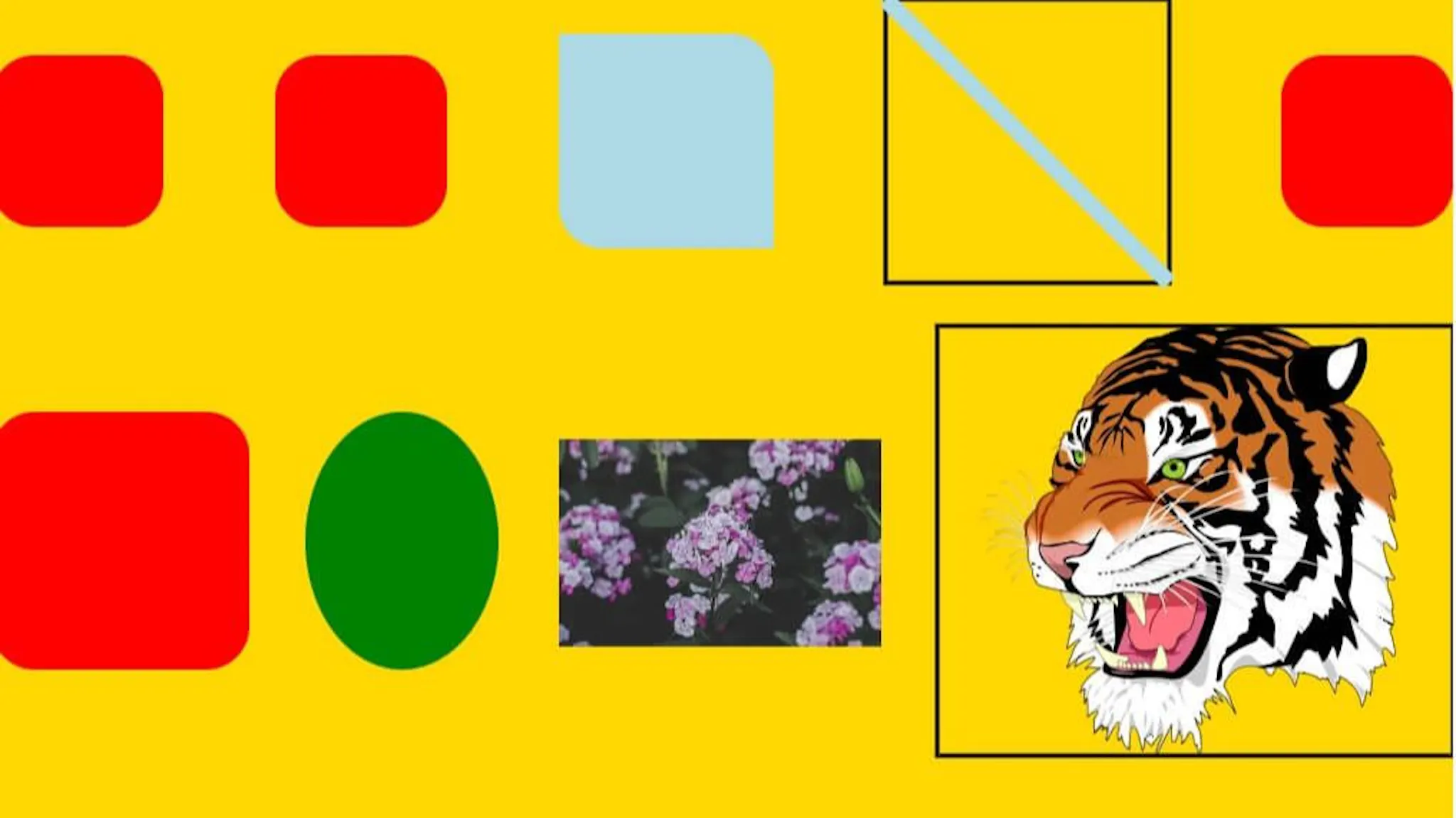 Demo for debug, svg and points
Building a layout engine also means building tools to understand what the layout engine is doing.
For that reason, layout bounds can be visualized directly.
<FlexLayout debug>
  ...
</FlexLayout>
<LayoutParagraph debug />
This renders the computed layout boxes, making it easier to understand spacing, sizing, and positioning during development.
Why I Built It
This project started as a small experiment.
I wanted to see if Yoga's layout model could be applied directly to Skia primitives.
As I continued building more complex interfaces, the experiment became increasingly useful.
What began as a helper for a few components evolved into a full layout system capable of arranging text, images, shapes, and custom graphics.
The goal was simple:
Bring the productivity of Flexbox to the flexibility of Skia.
What's Next
The library is still evolving, and there are many areas I want to improve:
- Additional Skia primitives
- Improved text measurement
- Better debugging tools
- Animation integrations
- Developer tooling
Feedback, ideas, and contributions are welcome.
Conclusion
React Native Skia makes it possible to build beautiful, high-performance graphics and interfaces.
As those interfaces grow, layout becomes just as important as rendering.
react-native-skia-layout aims to fill that gap by bringing familiar Flexbox-powered layouts to Skia primitives.
If you've ever found yourself manually calculating coordinates for a complex Skia interface, I hope this library makes that process a little easier.
如有侵权请联系:admin#unsafe.sh