A photo of an injured dog by the roadside. A dating profile with pictures that look almost too perfect. A donation appeal showing a family stranded on a rooftop after a flood.
Scammers are already using AI-generated images to support fake stories, build trust, and persuade people to send money or share personal information.
Instead of asking whether an image looks real, it’s better to ask whether there’s any evidence that it’s genuine.
What you actually need to know
You can’t reliably spot AI images by eye anymore. Advice like “count the fingers” or “look for garbled text” is becoming outdated because today’s AI image generators usually get those details right.
Instead of looking harder, verify the image and be skeptical of the story around it.
- Distrust the situation, not just the picture. These scams rely on urgency and emotion to push you into acting before you’ve had time to think.
- Check whether the image has appeared before. A reverse image search takes seconds and can often reveal where it really came from.
- Use an official verification tool when it matters. Google’s Gemini app can check for AI watermarks and provenance data. It’s not foolproof, but it provides useful evidence.
If an image is being used to ask for money or personal information, don’t treat it as proof until you’ve verified it.
Common AI image scams
In each case, the image is there to make the request for money more believable.
Fake lost pets
Scammers post AI-generated photos of distressed animals in local groups before asking for “rehoming fees” or other payments. Because the image was generated rather than stolen, a reverse image search may not reveal an original source.
“I found your pet”
Scammers target people searching for a missing pet, send them an AI-generated photo, then ask for a reward or deposit before disappearing.
Dating profiles
Photos that are flawless and consistent across every angle because they were never a real person. A video call helps, but it isn’t proof. Modern real-time deepfakes can pass simple tests like holding up fingers in front of the camera. Ask for something unscripted instead, such as turning their head or picking up a random object, and be wary of anyone who refuses to get on a call at all.
Fake artists
An AI-generated portfolio presented as original work on X, Instagram, or Fiverr to win paid commissions. Sometimes the scammer disappears after taking a deposit. Other times they deliver a “finished” piece that turns out to be AI-generated rather than the original artwork the buyer paid for. A genuine artist can usually show sketches, layered files, or work-in-progress images. Someone using an AI-generated portfolio can’t.
Fake fundraising appeals
Alongside real disasters, fabricated images of sick children, injured animals, or families in crisis are widely shared to encourage donations or simply attract attention. Some depict people who don’t exist at all. The more emotional the image, the less likely people are to stop and verify it.
Why visual clues aren’t enough anymore
Spotting a fake used to mean spotting edits, such as a repeating background, a shadow in the wrong place, or artefacts around a pasted-in object. That worked because manipulated images usually started with a real photo, leaving clues behind.
AI-generated images are different. They’re created from scratch, with no original image underneath, so those kinds of editing mistakes often don’t exist.
Visual clues are still worth a glance. Look for inconsistent jewellery, unusual lighting, distorted reflections, or odd movement in video. But don’t assume an image is genuine just because you can’t spot anything wrong.
How to check if an image is AI-generated
Reverse image search
Google Lens, TinEye, and Bing Visual Search can often reveal where an image first appeared online.
No matches don’t necessarily mean an image is fake. Personal photos and newly published images often won’t appear anywhere else. But if someone claims an image has been circulating for days or comes from a widely reported event, a complete lack of history is worth questioning.
Provenance tools
Some images contain information about where they came from or whether AI was used to create them.
The two most common types of provenance information are:
- Content Credentials (C2PA): Records information about how an image was created or edited. It is supported by companies including Adobe, Google, Microsoft, and Sony.
- SynthID: Google’s invisible watermark embedded into supported AI-generated images. It now also covers images created with ChatGPT and DALL·E through a partnership announced in 2026.
Verification tools such as the Gemini app or OpenAI Verify look for this information to help determine whether an image was created with AI.
We created an AI-generated image and checked it using OpenAI Verify.
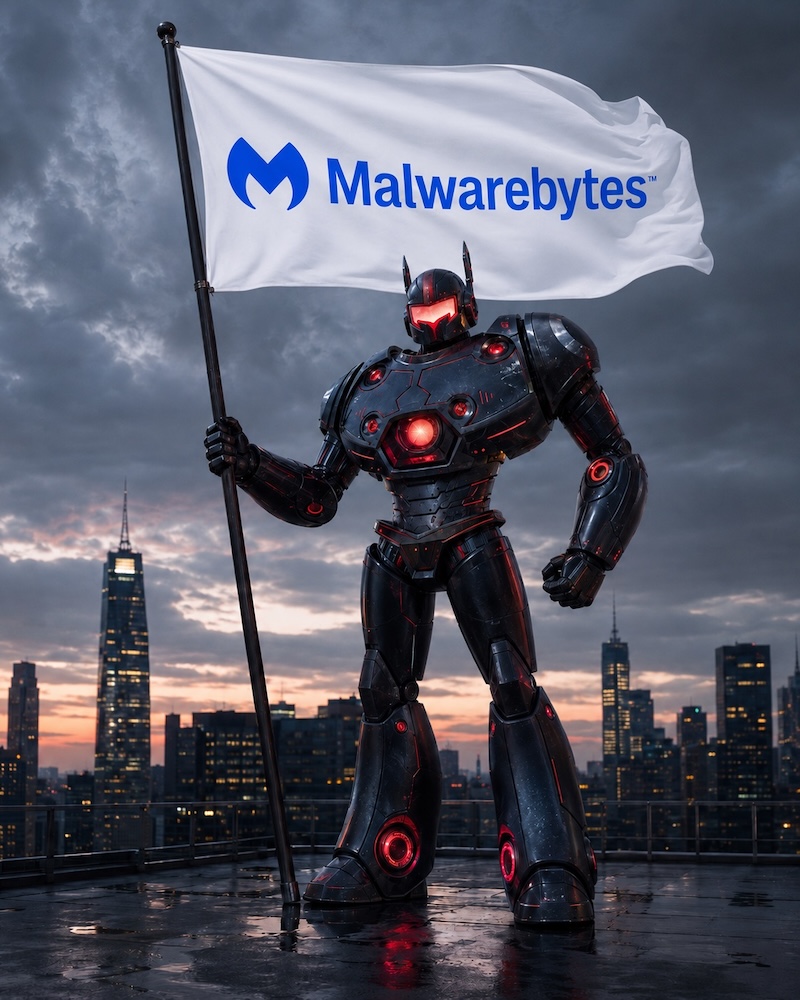
OpenAI Verify correctly identified it as AI-generated.
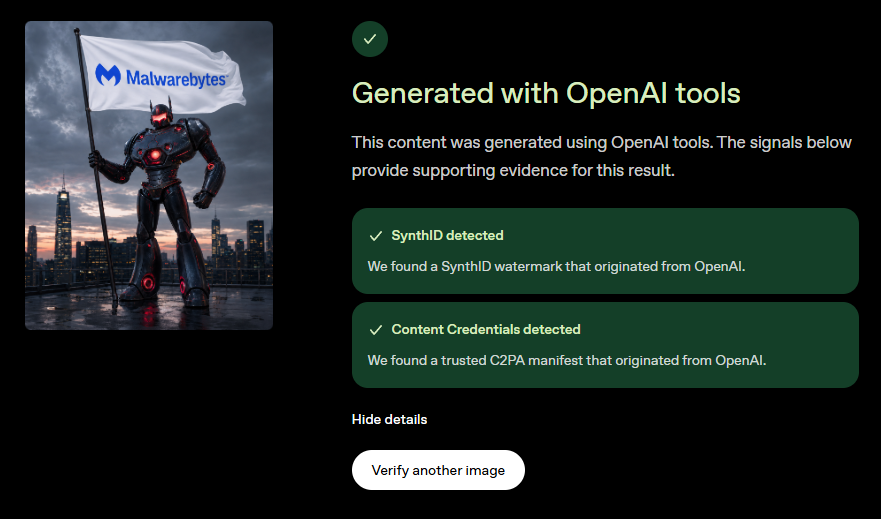
Keep in mind that if no watermark is found, it doesn’t mean the image is genuine. It simply means no watermark was detected.
Where these checks fall short
- Messaging apps strip the evidence. WhatsApp, iMessage, and Facebook re-encode images when they’re uploaded, often removing embedded credentials. That’s one reason the pixel-based SynthID watermark is useful: it can survive changes that strip metadata.
- “Not found” is the most misread result. Most real photos don’t contain any provenance information. A result that says no watermark or credentials were found doesn’t mean the image is genuine. It simply means no signal was detected.
- A valid credential proves the pipeline, not the truth. It confirms which device or app produced the file and when, but not that what it shows actually happened. For example, someone could photograph a screen playing a deepfake video. The credential would be completely valid because the camera really did take that picture. It just can’t tell you the content on the screen was fake.
- Some “SynthID detector” sites are misleading. Reading the actual SynthID watermark requires technology only Google and its approved partners have access to. That means only official tools, such as Google’s own apps and OpenAI Verify, can directly verify it. Third-party websites using the “SynthID” name are usually estimating whether an image is AI-generated, not reading the actual watermark.
If you think you’ve been caught by an AI image scam
- Save screenshots of the profile, images, and messages before they disappear.
- Run the image through a reverse image search and, where possible, an official AI verification tool.
- If you shared financial information, contact your bank immediately and change any passwords you’ve reused elsewhere.
- Stop sending money. Don’t make “one more” payment in the hope of recovering what you’ve already lost.
- Report the account to the platform and to your national fraud reporting service, such as the FTC in the US or Report Fraud in the UK.
- Warn others in the same community if appropriate. Many of these scams spread through trusted groups and personal recommendations.
The bottom line
An image used to be reasonable proof that something happened. That’s no longer the case. A convincing, original image can now be created in seconds, with no previous history to trace.
The good news is that verification tools are becoming easier to use. They’re not perfect, but a habit of scepticism, reverse image searches, and official verification tools is far more reliable than trying to spot visual mistakes.
Check the source, resist the urgency, and don’t let a picture do your thinking for you.
| Tool | Checks |
|---|---|
| Gemini (upload the image in the Gemini app, Google Search, or Chrome and ask if it was created with AI) | SynthID watermark and Content Credentials |
| Google SynthID Detector | SynthID watermark in images, video, and audio |
| OpenAI Verify | SynthID and Content Credentials in ChatGPT, DALL·E, and API-generated content |
| Reverse image search with Google Lens / TinEye / Bing Visual Search | Matches the image against copies on the web to find where else it appears |
How to interpret the results
- Watermark found: The file was generated using a supported AI system.
- No watermark found: No signal was detected. This is the normal result for most genuine photos, but it doesn’t rule AI in or out.
- Content Credentials found: The file contains provenance information about how it was created or edited. This helps establish its origin, but it doesn’t prove the scene itself is genuine.
